

Survey Instructions
Please take a few minutes to read these instructions before you begin. The goal is to help you complete the survey smoothly and accurately.
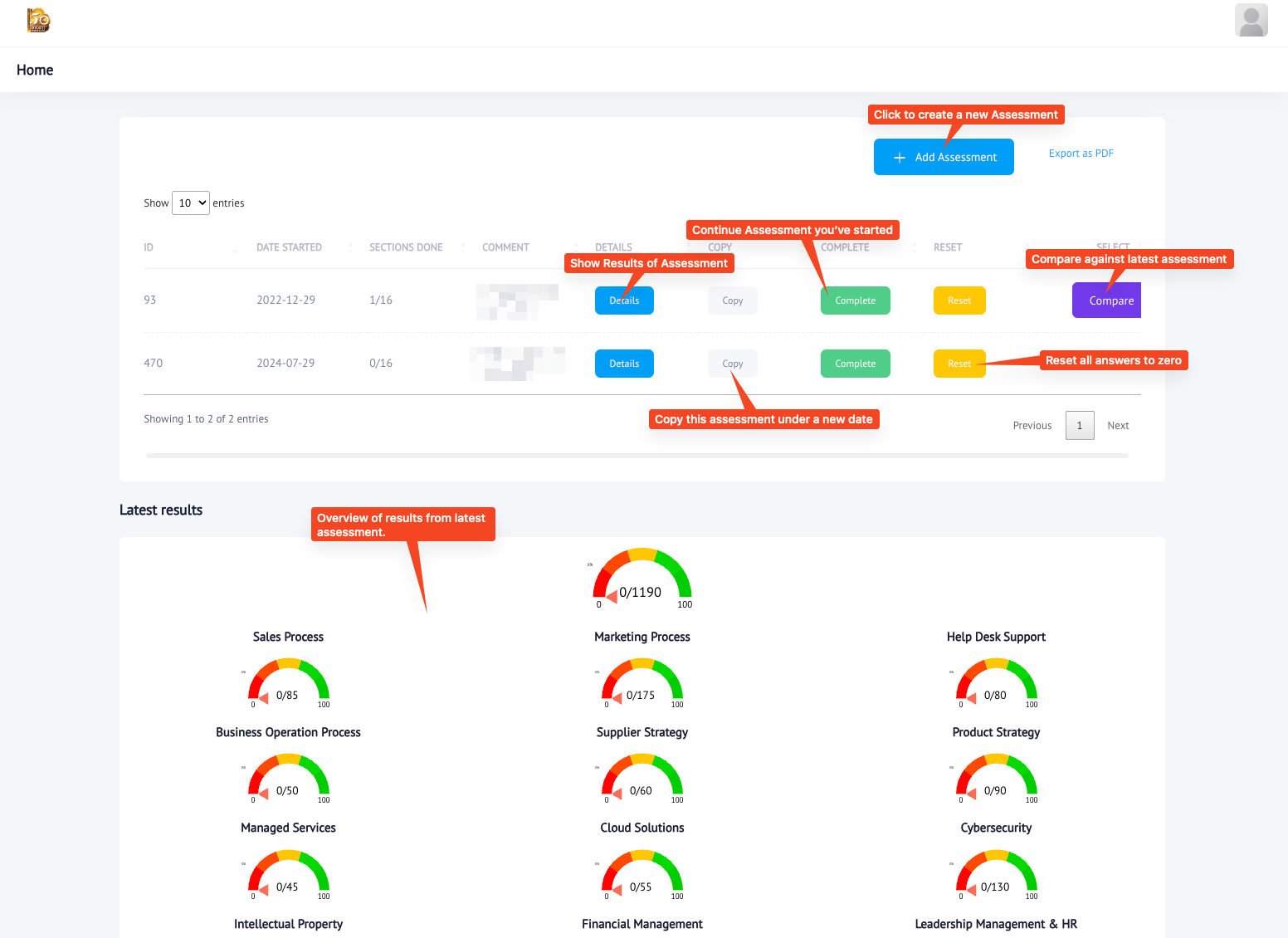
To start a new assessment
Click on the “Add Assessment” button on the home page. This will take you to the form where you can begin answering questions.
To continue an existing assessment
Click on the “Complete” button next to the assessment you want to continue. This will take you back to where you left off in the survey.
To see how you scored
Click on the “Details” button. You will be presented with a graphic summary of your responses and how they compare to the average scores.
1. Review the questions carefully
Read each question fully before answering so you can provide the most accurate response.
2. Answer honestly
Your responses should reflect your real experience and observations as closely as possible.
3. Take your time
There is no rush. If you need a moment to think, pause and continue when you are ready.
4. Contact support if needed
If anything is unclear, reach out for help before submitting your responses.